Quick Navigation
Online streaming service known as Spectrum TV is available for Android, iOS and some other platforms. Interestingly, there is no dedicated application for Windows. While there is a web interface for watching on-demand content, it just does not cut it. There are a lot of things that we miss out on. Therefore, this article focuses on how to get Spectrum TV App on Windows PC. Since there is no official application, therefore, we use Android version on laptops and computers.
Features of Spectrum TV App
There is a long list of features offered by this application. Lets go through these and learn why it is better to have Spectrum TV app on computer rather than web interface.
Seamlessly shift between laptop/PC and Set-Top Box
There is a cool feature in the app called Send to TV. This feature shifts the content that you are watching from app to set top box. It does not do just that! It also makes sure that the content is continued at exactly the same time as it was paused on laptop. Therefore, if for example someone was watching a show or live TV on their laptop outside home, they can continue from exactly there at home.
Control DVR
The DVR customers are going to find it very useful. It allows the app users to do following things; manage/view recordings, delete recordings individually or by series and scheduling recording. There is literally no need to check your DVR for doing all of this stuff. Check, delete or schedule any recording directly from laptop when you’re not at home.
Intuitive Channel guide interface
Spectrum TV App shows the channel guide with schedule of up to 7 days in advance! How cool is that. The interface looks neat and it is super easy to use. Moreover, if looking for a show but don’t know which channel it is on, just search for it and app will show the channel airing it.
Also manage the on-demand shows, watch old episodes, movies and all of available content using available filters. The overall interface makes it much easier to use.
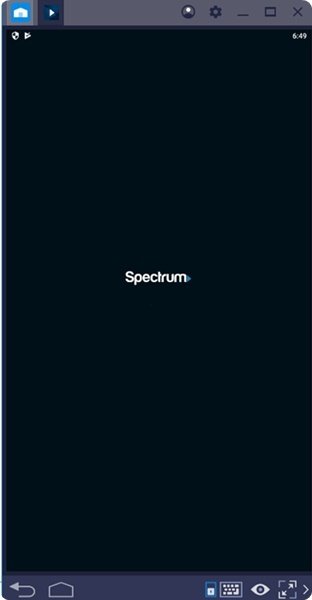 How to install Spectrum TV for PC on Windows
Before continuing, read this to understand how it actually works. In this method, we are going to install Spectrum TV APK on Bluestacks 4. It is an Android emulator supported by Windows 7, Windows 8, Windows 8.1 and Windows 10. Therefore, make sure that you have one of these operating systems running on your machine.
- Download and save Spectrum TV APK anywhere on your laptop / PC. Click Here to get it.
- Next up, install Bluestacks 4 on your PC. Get it HERE.
- Once the emulator is up and running, click on “Install APK” button as shown here.
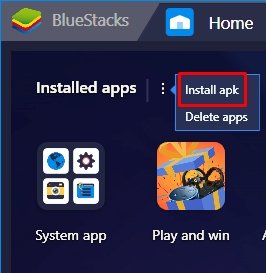
- Navigate to the folder where your put APK in step 1.
- Double click on it.
- Bluestacks APK Handler will begin installation.
- Once done, it will throw a notification.
- Open Bluestacks App Drawer.
- There you will find the Spectrum TV icon as shown below.
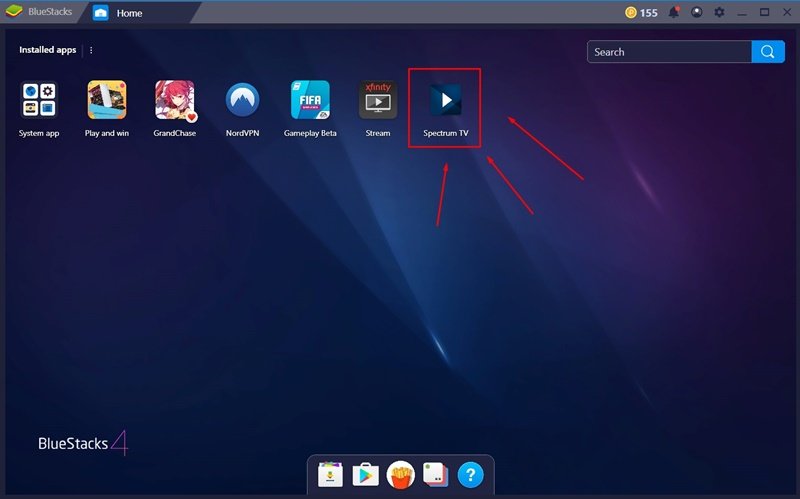
- Click on it to launch it.
That’s pretty much how to get Spectrum TV for PC Windows. Make sure to follow the steps accordingly to avoid any errors. Feel free to leave your feedback in the comments below. If you have any query, let us know in the comments section as well.